PlugShare - EV & Tesla Map
- 4.6
- Rating
- 1.00M
- Installs
- Free
- Price

 Analysis by App-foxy
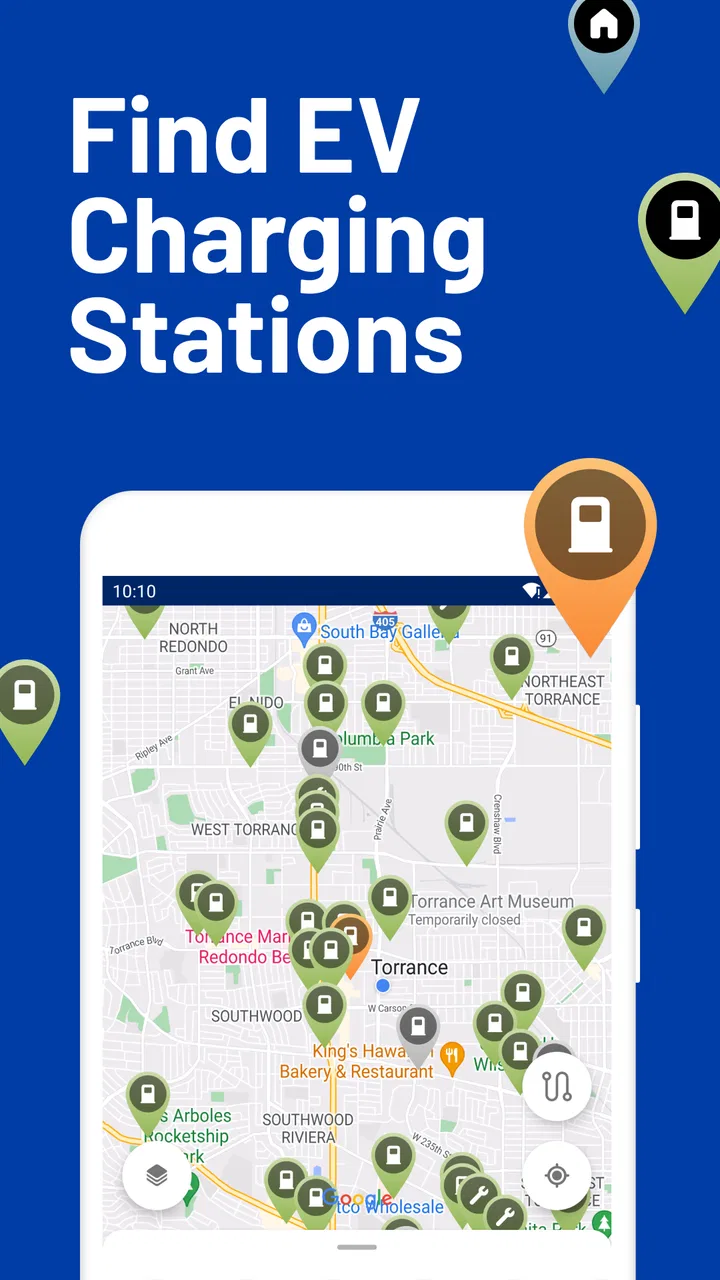
Finding a public charger is easy when everything is going well. The harder moment comes when the battery is low, the nearest station is unfamiliar, and I need to know whether a charger is actually usable rather than merely marked on a map. That is where PlugShare earns its place. This free Maps & Navigation app from PlugShare LLC is built around locating electric-vehicle charging stations, including Tesla-related options, while giving drivers a more practical view than a basic map pin.
I reviewed it as the kind of tool I would keep ready before a longer drive, not as an app I would open only after the battery warning appears. Its biggest strength is the way it turns charging into a research task: I can look at nearby locations, compare alternatives, inspect community information, and plan around the possibility that the first choice may not work. That approach makes it especially useful for EV drivers who travel beyond familiar routes.
The app is free to install and carries a Teen content rating. Its average score is 4.7 from around 49 thousand ratings, with more than a million installs, so it has clearly become a familiar name among drivers looking for charging information. Optional in-app purchases range from about $1.49 to $14.99 per item. I would treat those extras as optional conveniences rather than a reason to delay trying the core app.
You May Also Like

 Blood Strike: 2.5 Anniversary
Blood Strike’s Loadouts Turn Every Drop Into a Tactical Gamble
A close look at Blood Strike’s custom loadouts: how fast access to signature weapons reshapes its battle royale rhythm, rewards preparation, and narrows the gap between fights.

 Pandora - Music & Podcasts
Pandora’s Music Is Easy to Start, but Harder to Recover
Pandora’s strength is its low-effort path from a seed to a station. Its weak spot is how much confidence it asks you to place in connection, setup, and quiet recovery.

 8 Ball Pool
 Is Built on Rivalries, Rematches, and Routine
A close look at the rivalries, rematches, shared routines, and unanswered safety questions that turn a quick pool match into a persistent mobile community.

 Samsung Music
’s Quiet Strength Is Playing What You Already Own
Its reach comes less from spectacle than from dependable access to a personal library. That simplicity is both the app’s strongest retention engine and its ceiling.

 AccuWeather: Weather Radar
AccuWeather Review: A Quick, Clear Forecast for Everyday Decisions
For everyday plans, the best forecast is the one you can understand quickly. AccuWeather makes rain timing, radar, and local conditions easy to act on, with a few trade-offs.

 Hill Climb Racing
Why Hill Climb Racing Still Turns Crashes Into One More Run
A tiny car, a bumpy hill and one more upgrade: Hill Climb Racing keeps resurfacing because its simple chaos makes every near-miss feel personal.
More From Our News Desk



How PlugShare behaves when connectivity matters
When I’m planning around a weak signal, I treat PlugShare as a preparation tool rather than something to depend on at the last minute. I check likely stops and alternatives while I’m connected, then keep my route flexible in case the latest station information is unavailable when I need it. That makes the handoff to navigation smoother—and highlights why a map can inform a charging decision without guaranteeing the charger will be ready.
A charging map is only useful when the information is current
My first impression is that PlugShare is less like a conventional turn-by-turn navigator and more like a charging-focused layer placed over the driving experience. A general map can tell me that a station exists. This app is more valuable when I want to understand the station before committing to a detour.
That distinction matters because public charging is not as predictable as filling a petrol tank. A location may have several connectors, different charging providers, restricted access, limited opening hours, or a queue when I arrive. The map is therefore only the starting point. I need to open the station details, read recent activity, check the available information, and compare it with another nearby option before making a decision.
The experience depends strongly on connectivity. When I have a reliable mobile connection, the map can become a live planning surface rather than a static directory. I can search around my route, inspect possible stops, and react to what other drivers have reported. When the signal is weak, the app becomes less reassuring because the very information I need most is the information I am trying to retrieve at that moment.
That is not a flaw unique to this app; it is a practical reality of community-powered charging information. Still, it changes how I use it. I prefer to investigate the next charging stop while I still have a strong connection, rather than waiting until I am parked on an isolated road with little battery left. The best PlugShare habit is early checking, not emergency searching.
Why user reports can matter more than the map pin
The most useful part of this kind of service is often the human context around a station. A map symbol can look reassuring, but a driver’s recent note may reveal that a connector is blocked, a location is difficult to enter, or the charging experience differs from what the listing suggests. I do not treat every report as absolute truth, but I do use repeated or recent comments as a warning system.
This creates a trade-off. Community information can be more realistic than a polished provider page, yet it can also be uneven. Some stations attract frequent updates because they are popular, while quieter locations may have less recent discussion. I would never assume that silence means perfection. Instead, I use the available reports alongside the station’s listed details and my own route needs.
A useful workflow is to check two possible stops rather than one. I look for a primary location with a suitable connector and a backup that does not require a major change of direction. Then I examine whether both appear practical for the time of day and the remaining battery. This takes a little longer than tapping the closest result, but it reduces the chance of turning a small charging uncertainty into a stressful detour.
Using the app in ordinary mobile situations
PlugShare makes the most sense in a car, at a hotel, in a supermarket car park, or while preparing a trip at home. I would not use it casually like a social feed. Its value appears when I have a concrete question: where can I charge, what alternatives are nearby, and what should I know before arriving?
At home, I can use the larger screen and a stable connection to think through a route. On the road, I want fewer decisions. I check the next stop before leaving, save the important details mentally or in my route plan, and avoid repeatedly handling the phone while driving. The app can support preparation, but it should not become a distraction behind the wheel.
One realistic example is a weekend journey through an unfamiliar area. I might begin with enough battery for several hours, but weather, traffic, hills, or a delayed departure can change the calculation. Instead of waiting until the range estimate feels uncomfortable, I search for a charging stop early, inspect the surrounding alternatives, and choose a location that gives me a second option nearby. If the first station is busy, I already know where I can go next.
For Tesla drivers, the app’s focus on EV and Tesla charging makes it relevant when comparing charging possibilities beyond the most familiar Tesla-specific tools. For drivers of other electric vehicles, it can serve as a broader discovery tool. The important point is that the usefulness still depends on checking compatibility and access details for the particular vehicle and station rather than assuming every pin will work for every car.
What happens when the connection or station does not cooperate
Connectivity problems are where I notice the app’s limits most clearly. If the map or station information takes too long to load, I lose confidence at exactly the wrong time. A weak signal can make searching feel slow, and a busy route may leave me with less patience for opening several station pages. I therefore avoid treating the app as my only safety net.
Before a longer trip, I identify more than one possible charging location and pay attention to the broad area where each one sits. If the connection later becomes unreliable, that preparation gives me a practical fallback. I also prefer to investigate while stationary, because trying to solve a loading problem while driving is both inconvenient and unsafe.
There is another kind of failure: the app may show a station, but the real-world experience may still be disappointing. A charger can be occupied, inaccessible, out of service, or unsuitable for my vehicle. PlugShare cannot remove those uncertainties. Its role is to help me notice risk earlier and make a better choice, not to guarantee that a public charger will be available when I arrive.
This is why I see it as a decision-support tool rather than a promise. If I am already close to empty and there is only one possible charger in the area, I would not rely on a single map result without checking every useful detail and considering how much reserve I have. The app is strongest when I use it to build options, not when I ask it to rescue an unplanned situation.
Making sensible use of mobile data
Because the experience revolves around maps, station pages, and changing information, I use PlugShare more deliberately when I am travelling. I do not keep refreshing the same location without a reason. I search the route, inspect the likely stops, and then close the app while I drive. This keeps the process focused and avoids turning charging research into constant screen time.
When planning from home or a hotel, Wi-Fi can make the preparation more comfortable, especially if I am comparing several areas. On the road, I limit checks to decisions that matter: confirming the next stop, checking a backup, or reviewing a new report when circumstances change. This is not about avoiding the app; it is about using connectivity at the moment it provides the most value.
I also recommend checking information shortly before departure rather than relying entirely on a plan made much earlier. Charging conditions can change, and a community report that was useful yesterday may not describe today. At the same time, I would not repeatedly reopen every station just to search for certainty that no app can provide. A sensible balance is to prepare a primary and secondary option, then make one focused check before the route begins.
Drivers should also remember that the app does not replace the vehicle’s own range information, charging requirements, or route judgement. I compare what PlugShare shows with the car’s estimated range and with the actual distance I need to cover. If those sources disagree, I choose the more conservative plan. That small habit is more valuable than chasing the apparently closest charger.
Who will get the most from it?
I would recommend PlugShare to new EV owners who are still learning the charging landscape, road-trip drivers, people who regularly visit unfamiliar towns, and anyone who wants a wider view than a single charging network’s app. It is particularly helpful for drivers who like to investigate before leaving and who appreciate practical reports from other users.
It is also useful for experienced EV drivers who already know the main networks but want a second perspective. A provider app may be better for account management, payment, or starting a session on that provider’s equipment. PlugShare is better suited to discovery and comparison across locations. I see the two types of app as complementary rather than direct replacements.
On the other hand, it may be unnecessary for someone who drives a fixed daily route, charges at home, and rarely needs public infrastructure. A driver who only wants turn-by-turn directions may also prefer a conventional navigation app, especially if charging research is not part of the journey. Likewise, anyone expecting every station detail to be perfectly current may find the community element frustrating.
The app’s free entry point makes experimentation easy, while the optional purchases may appeal to users who want additional convenience. I would start with the free experience and decide later whether those extras fit my routine. There is no reason to pay simply because the app is popular; the right choice depends on how often I travel and how much planning support I need.
My practical routine for using PlugShare
I search for charging locations before the battery becomes a concern, ideally while I have a stable connection and time to compare them.
I open the most promising station instead of trusting the nearest map marker, then check the available location information and recent user context.
I select a backup that is realistically reachable, not merely another pin that looks close on the map.
I confirm that the station suits my vehicle and trip, including the practical access details that matter for that stop.
I stop interacting with the phone once I begin driving, using the plan as preparation rather than trying to manage every change at speed.
This routine highlights the app’s real advantage: it helps me think in contingencies. The strongest insight I took from using it is that charging planning is not about finding one perfect station. It is about reducing the number of surprises that can leave me searching with a low battery and a poor connection.
How it compares with familiar alternatives
A vehicle’s built-in navigation is usually the most convenient option for integrating charging into a route, especially when it understands the car’s battery state and driving conditions. A charging-network app may be the better choice for starting a session, handling an account, or checking provider-specific information. A general maps app is often faster for ordinary directions and nearby businesses.
PlugShare occupies a different position. Its appeal is the broader, driver-oriented view of charging locations and the ability to research a stop before I commit to it. That makes it more informative than a simple map pin, but it also means I must interpret what I see. It is not a substitute for every other navigation or charging tool.
In my experience, the best setup is layered: use the car or a trusted navigation app for the driving route, use the relevant provider when a charging session requires it, and use PlugShare to investigate options and potential problems. Someone seeking one app to handle every part of an EV trip may find that arrangement less tidy, but it is more realistic and gives each tool a clear job.
My connectivity verdict
PlugShare succeeds because it treats public charging as a changing, shared information problem rather than a collection of permanent map points. Its connection to live searches and user contributions is also its main vulnerability: weak service, stale reports, or an unexpected station problem can still interrupt the plan.
I would keep it installed if I owned an EV and travelled outside my usual charging area. I would open it before a journey, use it to compare a primary stop with a backup, and check the information while stationary. I would not depend on it as the sole guarantee that a charger will be available, and I would not expect it to replace my car’s navigation or a provider’s charging app.
Overall, this is a thoughtful free app for drivers who want more context before choosing where to charge. The 4.7 average and broad adoption reflect a tool that many EV users find worthwhile, but its value comes from how carefully I use it. If I plan ahead, respect the limits of connected information, and keep a fallback in mind, PlugShare turns charging uncertainty into a manageable part of the trip.
FAQs for PlugShare - EV & Tesla Map
01What is PlugShare and how does it work?
PlugShare is a comprehensive app designed for electric vehicle (EV) owners, including Tesla drivers, to locate charging stations worldwide. Users can search for nearby stations, filter by plug type, and see real-time availability. The app also allows users to share station reviews and connect with other EV enthusiasts to enhance their travel experience.
02Is PlugShare free to use, or are there any hidden costs?
PlugShare is free to download and use, providing access to its core features without cost. However, some charging stations may require payment for use, which is handled separately by the station operators. The app itself does not charge any fees for its services or features.
03Can I use PlugShare offline, and does it require a lot of data?
While PlugShare is primarily designed for online use to provide real-time data and updates, it offers offline capabilities for previously accessed maps and station information. This feature can be particularly useful in areas with limited connectivity. Data usage depends on how frequently you use the app and access maps or updates.
04How accurate is the information provided by PlugShare?
PlugShare relies on community-sourced updates and data from charging networks, ensuring a high level of accuracy. Users can contribute by reporting station status, reviewing facilities, and updating information. The collaborative nature of the app helps maintain current and reliable data, although occasional discrepancies may occur.
05Does PlugShare support all electric vehicle models and charging stations?
Yes, PlugShare supports a wide range of EV models and charging station types, including those for Tesla vehicles. Users can filter search results by plug type, station network, and other criteria to find the most compatible options for their specific vehicle, making it a versatile tool for all EV owners.
Pros
- Extensive global charging network coverage.
- User-friendly interface with easy navigation.
- Real-time availability updates for chargers.
- Community reviews enhance reliability.
- Filter options for specific charger types.
Cons
- Occasional inaccuracies in charger status.
- Limited offline functionality.
- Some features require a premium subscription.
- Inconsistent user-contributed data.
- Notifications can be overwhelming.

PlugShare - EV & Tesla Map
Gallery